Acetate · Docs
Acetate reference
Everything Acetate's in-app Help screen says, on one page. Bookmark this if you want to read before downloading.
00 · Installing on macOS
- Drag Acetate.app into your Applications folder.
- Double-click the app. You're in.
Acetate is signed with an Apple Developer ID and notarized by Apple, so Gatekeeper lets it open on first launch - no Terminal commands needed.
00b · Installing on Windows
The Windows build is experimental: unsigned, and tested on fewer machines than the macOS build. Report anything odd to [email protected].
Acetate isn't signed with a Windows code-signing certificate yet. SmartScreen will block the installer the first time you run it, with a blue "Windows protected your PC" dialog. To clear it:
- Double-click Acetate_1.0.3_x64-setup.exe. SmartScreen pops up.
- Click the small More info link inside the dialog (it sits below the bolded message - easy to miss).
- Click the new Run anyway button that appears, then walk through the installer as normal.
- Launch Acetate from the Start menu. You're in.
You only need to clear SmartScreen once per install. A code-signed installer is coming - this step goes away then.
01 · Quickstart
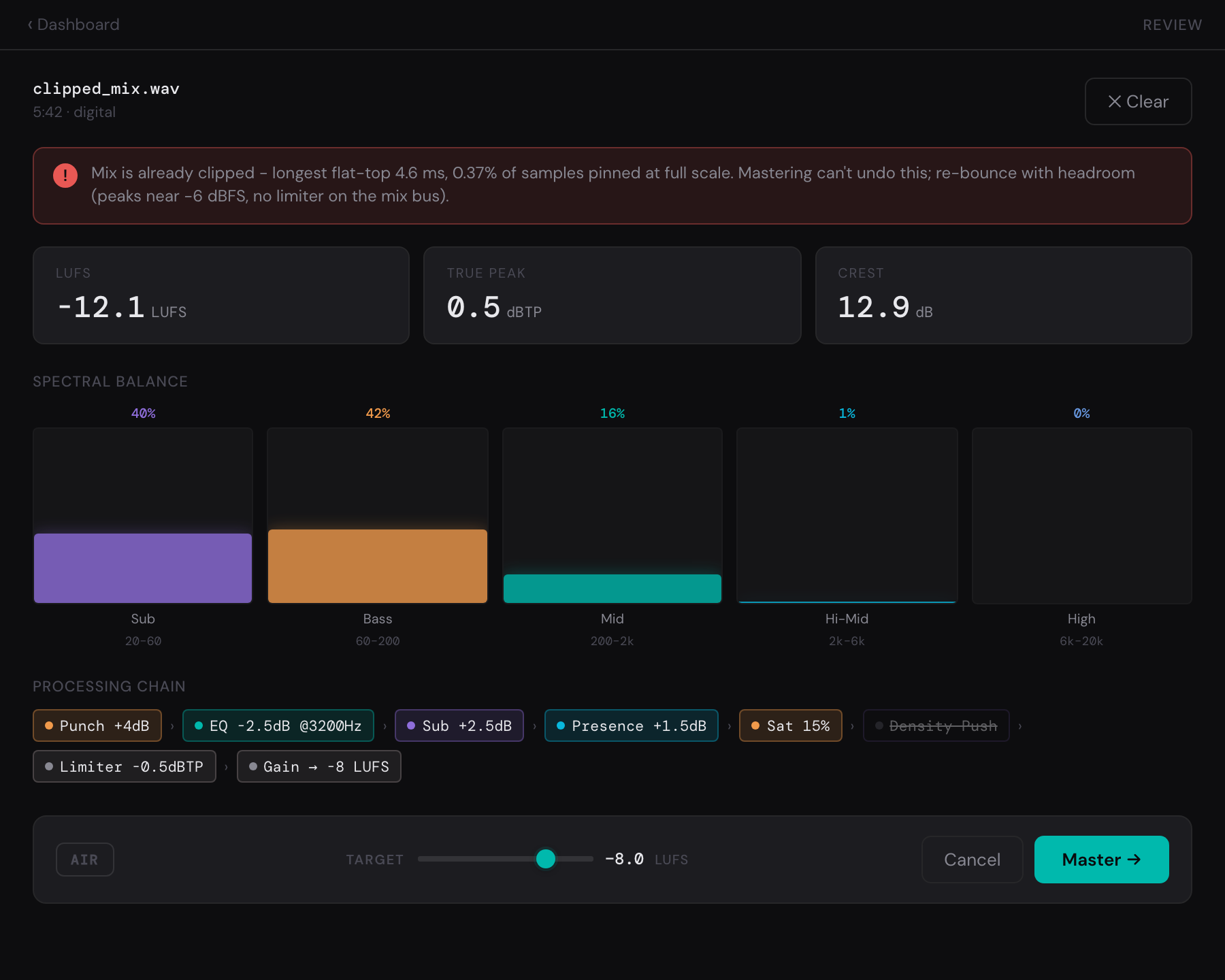
- Drop a track. WAV, AIFF, FLAC, or MP3. Acetate reads the format and warns if anything looks off.
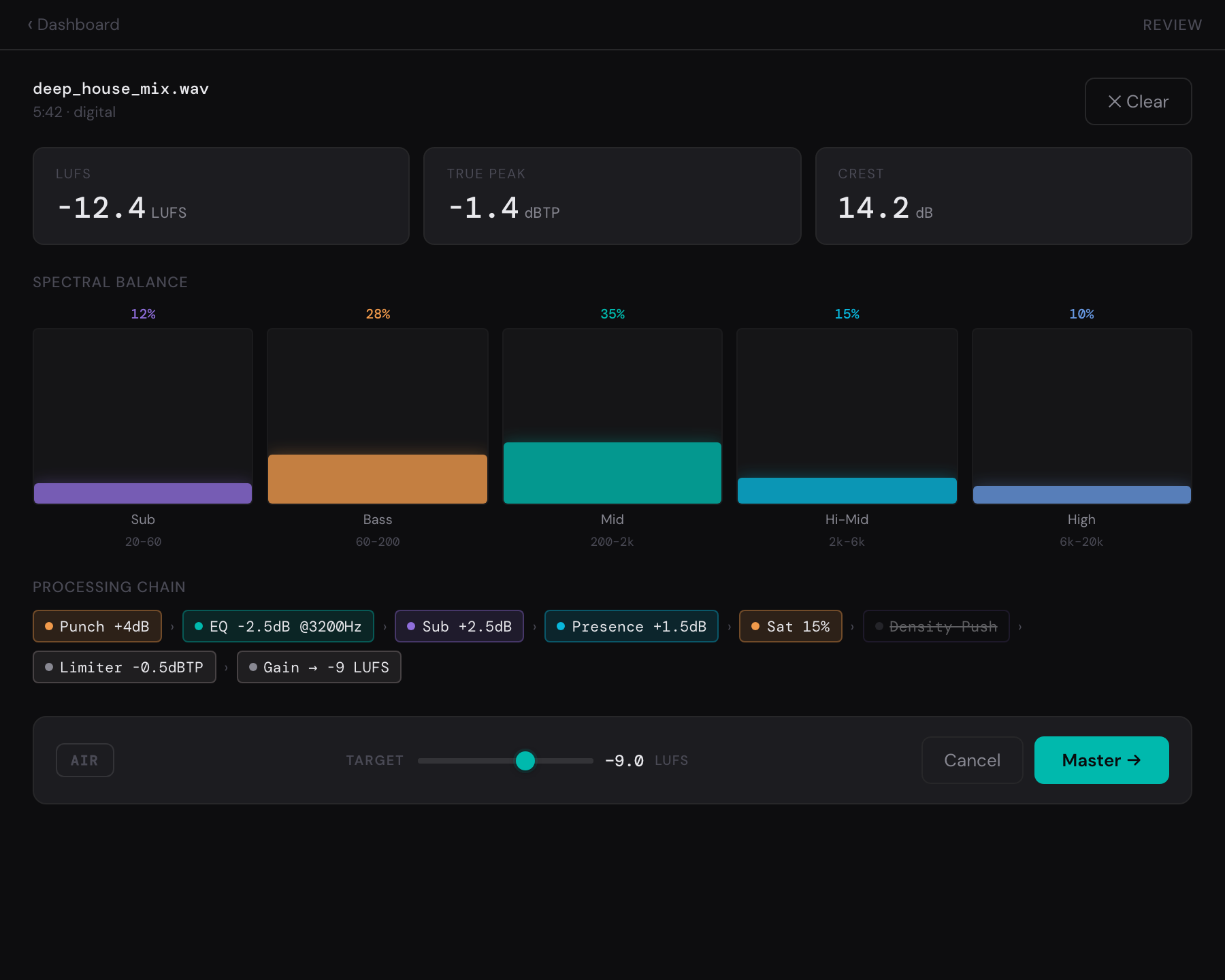
- Let it analyze. About 5 seconds per minute of audio. You'll see LUFS, true peak, dynamic range, and a detected genre with a proposed chain.
- Pick where it's going. Choose Club, Streaming, or Critical listening (or Gentle) and Acetate sets its loudness target and chain to match. You set this once at first run; change it anytime in Settings or per track.
- Adjust if you want. Nudge the target LUFS, override the genre, or toggle the "air bell" for dark masters. Or just accept the defaults.
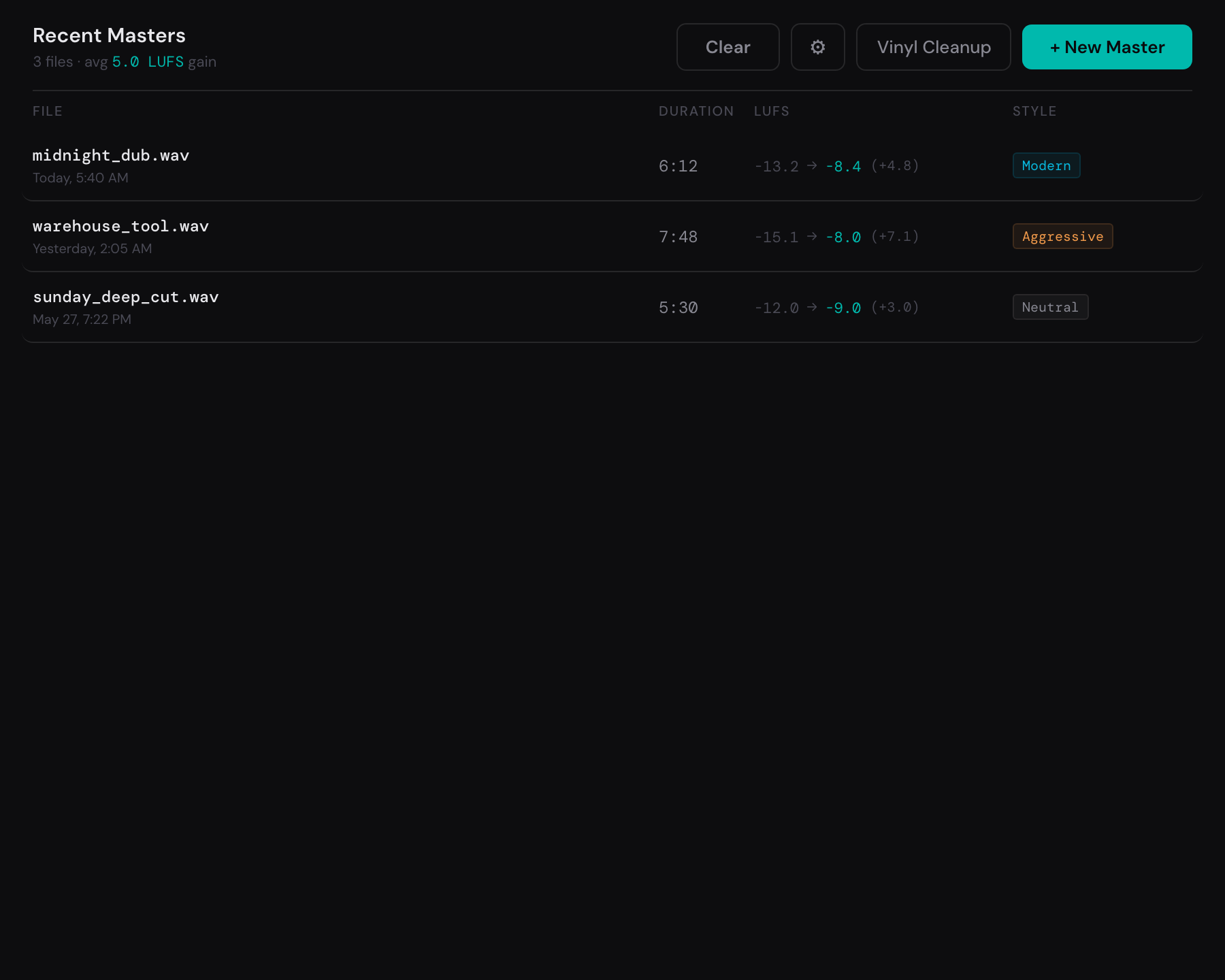
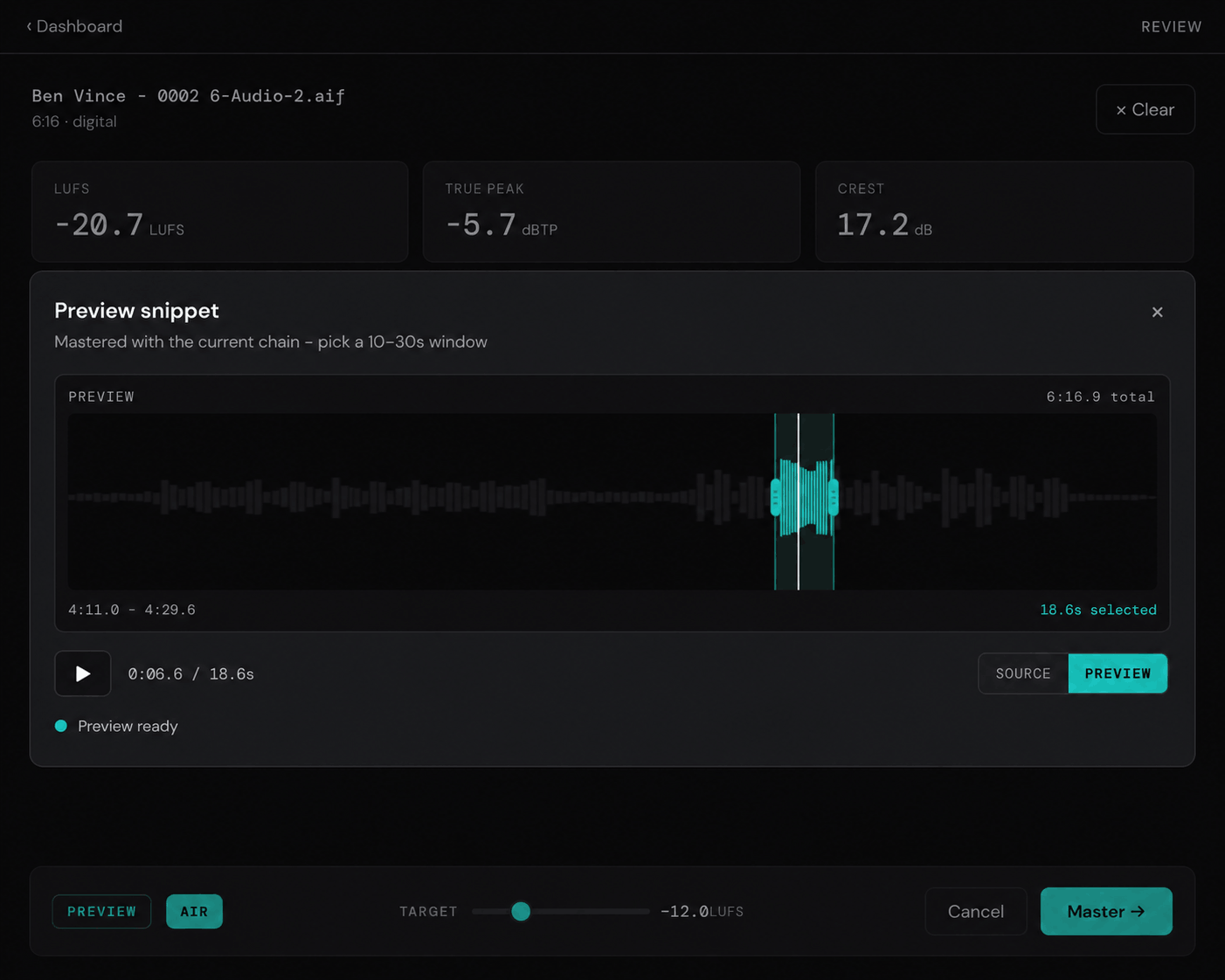
- Preview a snippet. Open PREVIEW, drag a 10-30s window on the waveform, and hear that section mastered with the current chain - before committing the whole track. SOURCE/PREVIEW A/Bs the section.
- Master. Acetate applies a tailored processing chain - cleanup, tonal correction, dynamics, and limiting - each step shown in the chain log when it applies.
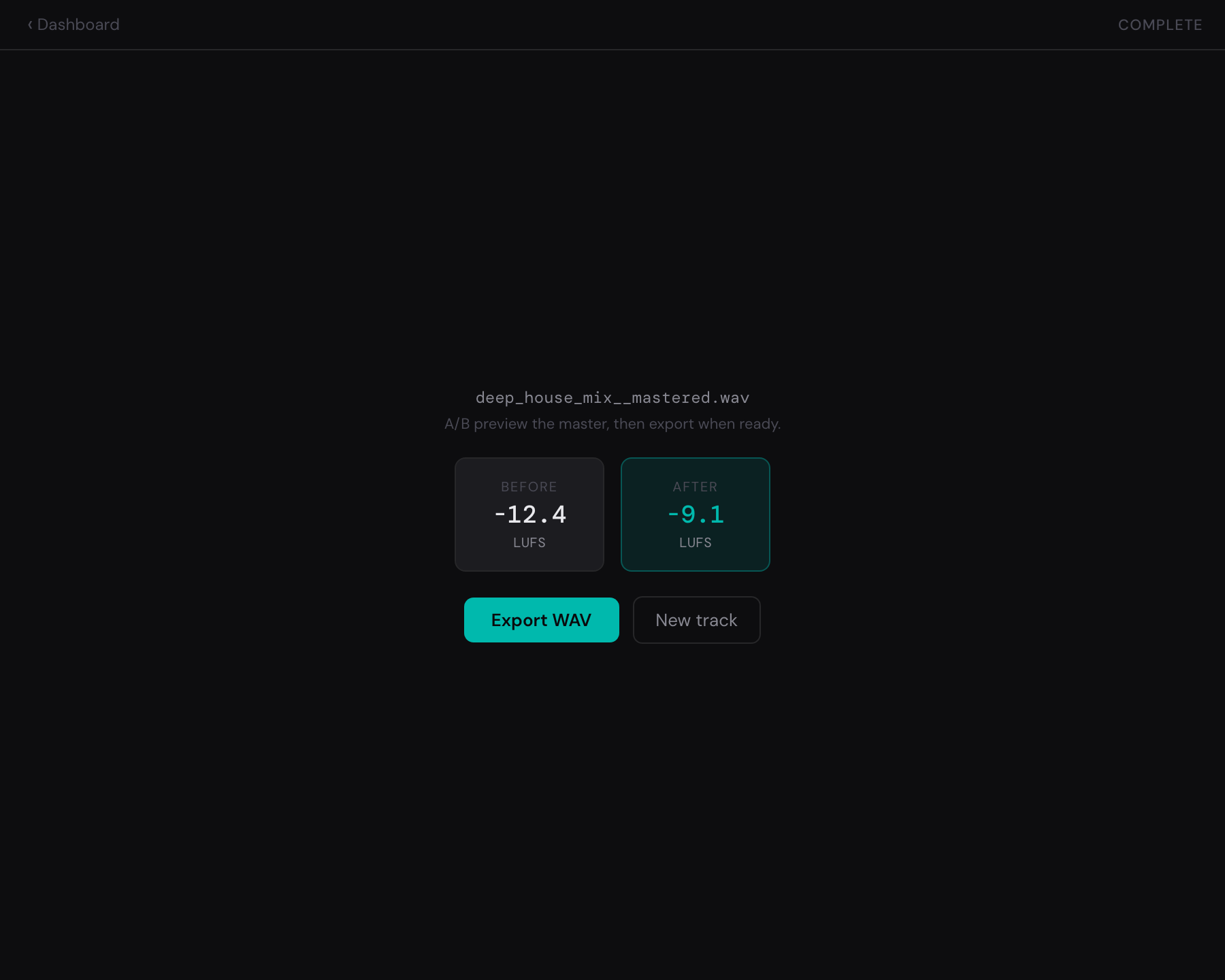
- A/B and export. Audition before vs. after sample-aligned. Export WAV, AIFF, FLAC, or MP3 when it sounds right - format, bit depth, dither, and normalize live in Settings.
02 · Genre presets
- techno
- Weighty low end, controlled highs, competitive loudness target.
- deep_house / minimal
- Warmer tonal balance, gentler dynamics, preserves groove and swing.
- microhouse
- Light touch on dynamics, focus on transient clarity, optional top-end lift.
- idm
- Wider dynamic range, more transient preservation, lighter limiting.
- (unknown)
- Falls back to a safe transparent chain - good for material the classifier hasn't seen.
03 · Chain pills
Each pill in the chain log is one processing step Acetate applied. Steps that didn't fire don't show up. Ordered from cleanup to final loudness.
- DC Fix
- Removes a constant DC offset before processing - frees up dynamic range.
- HP NHz
- High-pass filter. Rolls off sub rumble and inaudible content.
- Click Repair
- Detects and smooths transient clicks - needle drops, glitchy edits, mouse clicks bleeding into a take.
- Gate NdB
- Noise gate. Silences low-level noise between passages - room tone, hiss, bleed.
- EQ ±NdB @NHz
- Targeted boost or cut at a specific frequency band.
- Sub +NdB
- Low shelf. Adds warmth and weight to the low end.
- Mid Body +NdB
- Lower-mid emphasis for body and thickness without muddying.
- Air Shelf +NdB
- Opens up the top end as a broad lift for dark masters.
- Presence +NdB
- Upper-mid lift for clarity and forward edge on vocals and leads.
- Hat De-Esser
- Dynamic reduction of sibilance and hi-hat harshness, only when they spike.
- Hat Trim NdB
- Static high-frequency cut. Used when de-essing alone isn't enough.
- Punch +NdB
- Transient shaper. Boosts attack edges - snap on drums and percussive elements.
- Sat N%
- Harmonic saturation for warmth, glue, and better translation on small speakers.
- Mid Blend
- Parallel compression. Gels the body without flattening transients.
- Compression
- Whole-mix glue compressor. Light ratio, slow attack - cohesion over crush.
- Density Push
- Pushes weight without crushing transients. Opt-in.
- Limiter NdBTP
- True-peak limiter. Prevents inter-sample clipping. Always on.
- Gain → N LUFS
- Final gain to the target loudness. Always on.
03b · Export formats and settings
Set once in Settings, applied to every export. WAV and AIFF are the masters; FLAC and MP3 are for sharing.
- WAV / AIFF
- 16, 24, or 32-bit float. TPDF dither applies automatically at 16-bit - leave it on unless you know why not.
- FLAC
- Lossless, smaller files. 16 or 24-bit.
- MP3
- High-quality VBR, not fixed CBR - bits go where the music needs them.
- Normalize
- On by default: the export is gained to your loudness target. Turn it off to leave the file exactly as the chain rendered it.
04 · Terms
- LUFS
- Perceived loudness. -14 is streaming-quiet; -8 is club-loud.
- True peak
- Inter-sample peak - what an over-sampled DAC actually sees.
- DR
- Dynamic range. Higher = more breathing room.
- Air bell
- A narrow high-frequency boost that opens up dark masters without harshness.
05 · Trouble?
- Master sounds dim or muffled → try the default chain instead of an explicit genre, or enable the air bell.
- Long track (DJ mix, extended set) → Acetate handles it automatically. Review level changes on the Review Draft screen, then render to disk.
- Export button has a lock icon → you've used your free master. Activate a license key to unlock unlimited exports.
- Check for updates → Settings, Help tab, Check for updates.
06 · Support
Email [email protected] - include the track filename, your build number, and what went wrong. Logs help.